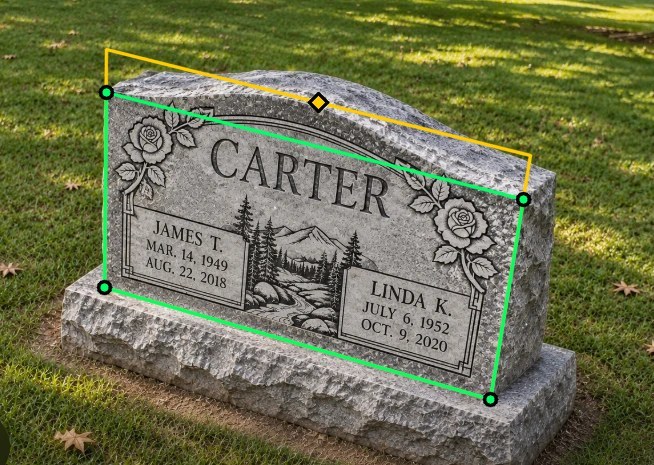
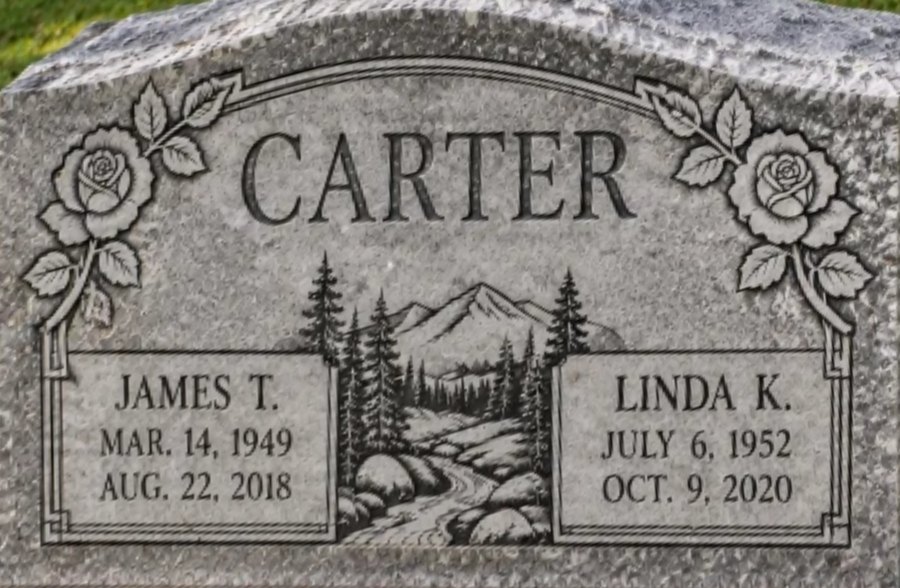
When a customer sends a photo of a stone taken at an angle, mark the four corners of the face, type its size, and download a straight picture at 100 pixels per inch. It opens at true size in Omega and other sign and monument programs.
1
Choose the photoJPG or PNG. It stays on your computer - nothing is uploaded.
2
Put the dots on the cornersPull a yellow diamond to move that edge, e.g. up to the top of a serpentine.
3
Type the size, downloadTIF for Omega, JPG and PNG - all at 100 pixels per inch.
Example
The photo, taken from the side: dots on the shoulders, top pulled up to the peak→Straight and true size: 36 x 23.5 in at 100 pixels per inch
Your photo never leaves your computer: the straightening happens here in your browser. The only thing the website keeps is the email address you give us.